Why we built Solomon
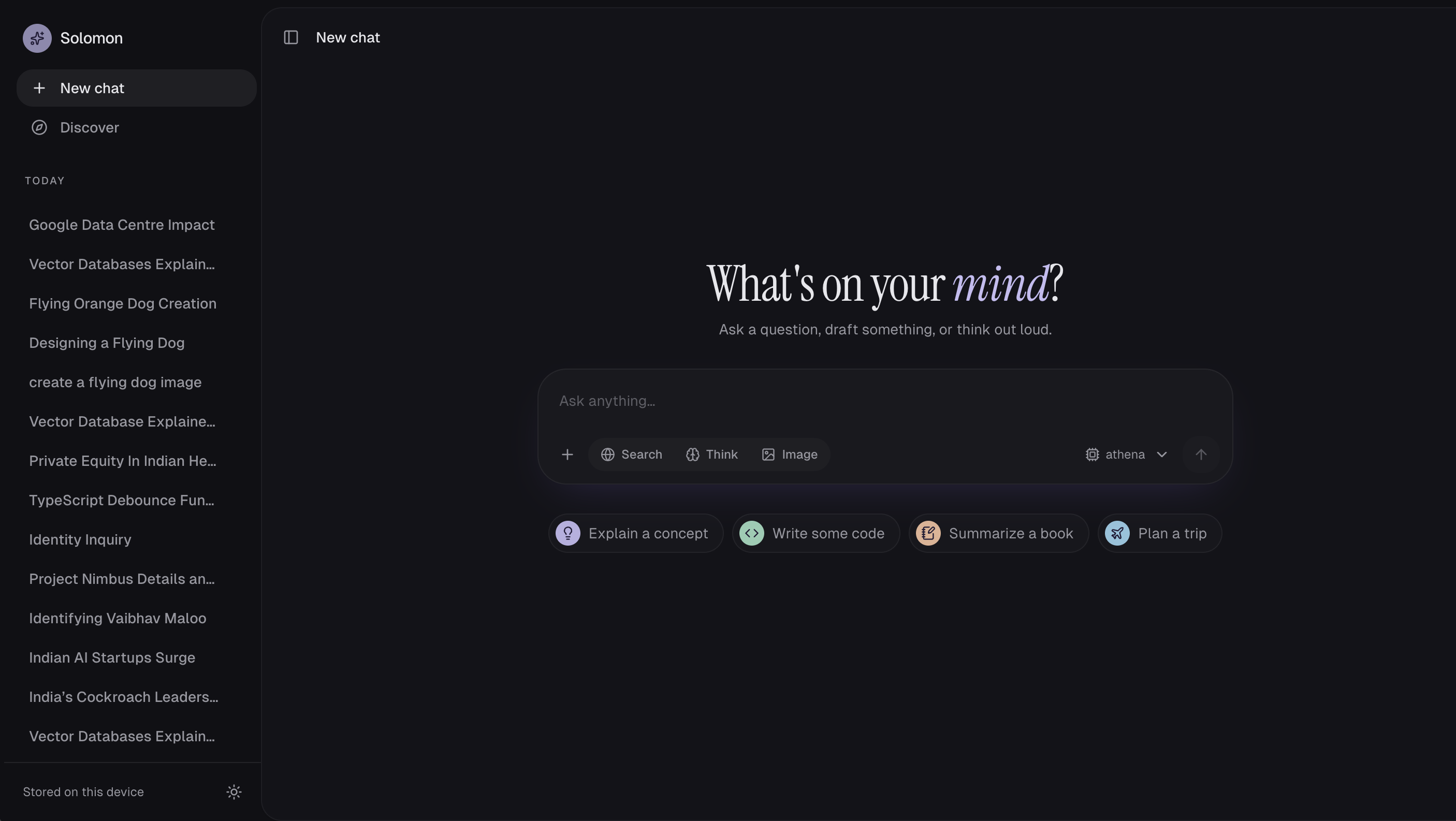
Solomon is an AI assistant that chats, searches the web with citations, reads your files and draws images, and most of it runs on our own machines. We built it to see how far a private, self-hosted stack can go before you need a big cloud bill.
The constraint made it interesting: the whole thing runs on a 16 GB Apple M4 laptop. Every design choice below came from that limit.
What it does today
Five features work end to end, each recorded in a short demo.
Chat with streaming and Think mode. Answers stream token by token. A Think toggle runs the model at high reasoning effort and shows its reasoning in a collapsible "Thought for N s" block. Each new chat gets an AI-written title.
Web search with citations. Turn on Search, or let Solomon decide on its own when a question needs fresh facts. Answers cite sources inline as [1], [2]; clicking one opens a side panel with the page, its domain and the passage used. An image strip shows related pictures.
Discover. A news feed by country and topic (Top, Tech, Business, Science, Sports, Entertainment, Health). Any story has an Ask button that starts a cited search chat about it.
Chat with your files. Attach PDF, DOCX, TXT, Markdown or CSV files. They are indexed in the background, and answers cite them as "Your file" next to any web sources.
Local image generation. Ask for a picture, or flip the Image toggle, and FLUX.2 Klein draws it on the laptop's GPU. A 768×768 image takes about 52 seconds.
How it fits together
The browser streams answers straight from one Python AI service; a gateway and a few local models do the heavy lifting.
The web app is a Next.js 16 monorepo with beUI components; the AI service is FastAPI with LangGraph. LiteLLM fronts the chat models, so swapping a model is a config change. Retrieval uses hybrid search in Postgres: vector similarity plus full-text, merged by rank.
Privacy by design
Everything a user writes is encrypted before it reaches the database. A dump of Postgres shows only ciphertext.
Envelope encryption. Each chat, file and image gets its own random key, stored wrapped by a master key. Content is AES-256-GCM encrypted under that key.
Tied to its row. Each ciphertext is bound to its row id, so a value copied into another row fails to decrypt.
Easy key rotation. Rotating the master key only re-wraps the small per-item keys; no message is re-encrypted.
Ownership. Chats, files and images can only be read by the browser that created them; anyone else gets a 404.
Mostly local. Embeddings, reranking, routing and image generation run on the machine. Chat answers and web search currently use Ollama Cloud.
One honest trade-off: search vectors and the full-text index must stay unencrypted for search to work, so we treat them as sensitive too.
What we learned on a 16 GB laptop
The biggest lesson: on a laptop, memory decides the architecture. Our first full RAG pipeline took 46 to 140 seconds per answer because the machine was swapping 22 GB. Swapping heavy models for light ones brought it to about 15 seconds.
| Problem | What we changed | Result |
|---|---|---|
| A 4B reranker took 20–40 s while swapping | Reranked with laya, a 421M decision model | 0.1–0.3 s per rerank |
| Qwen3 reserved 8.7 GB for a context it never used | Capped the context at 2,048 tokens | 2.9 GB, 0.9 s for 12 passages |
| Embedding whole scraped pages blocked answers | Cached pages in the background after retrieval | Repeat topics retrieve in 0.1 s |
| Live page scraping added 6–9 s | Made Firecrawl optional | About 8–14 s per search answer |
| The official image model was 23.7 GB | Used a 4-bit MLX build | 4.6 GB on disk, 3.4 GB peak memory |
Three smaller lessons:
Check, don't trust, the docs. Ollama lists image models as supported, but generation is disabled in current releases. A broken quantized reranker returned the same score for every passage, so we now detect flat scores and ignore them.
One fast classifier does many jobs. laya answers a typed question in about 65 ms. We use it to route searches, grade retrieved passages, rerank them and spot image requests (94% on our test set).
Dates matter for news. Search results without publish dates can mix old and new facts. That is next on the roadmap.
What's next The next phase is about trust and scale: fresher answers, real accounts, and a deployment beyond one laptop.
Recency-aware answers. Pull publish dates from pages, prefer the newest source, and say so when sources disagree.
Accounts and sync. Replace the anonymous browser ID with real sign-in, and sync chats across devices from Postgres.
Keys in a KMS. Move the master encryption key out of an environment file into a managed key service.
More resilient search. Fall back to our own SearXNG when the hosted search API is rate-limited, and tell the user when sources couldn't be fetched.
Richer files. OCR for scanned PDFs, plus images and spreadsheets as sources.
Image editing. Edit and vary generated images, not just create them.
Agents and tools. Add tools to the LangGraph pipeline, such as a calculator, database lookups and multi-step research.
A GPU server. Deploy with the larger Qwen3 reranker and bigger image models once memory isn't the limit.
Github Link: https://github.com/sjana7797/solomon-ai
Comments
Join the discussionNo comments yet. Be the first to comment.